Mayline
Join the WaitlistSign In

For Designers. By Designers.

Platform Features

Everything your studio needs,
in one place.

Mayline brings scheduling, specifications, budgets, and design tools together — purpose-built for architecture and interior design firms.

Join the Waitlist
01

Planning & Management

Keep your studio running on time and on budget — from scheduling to contracts.
Schedule Manager interface

Schedule Manager

Live

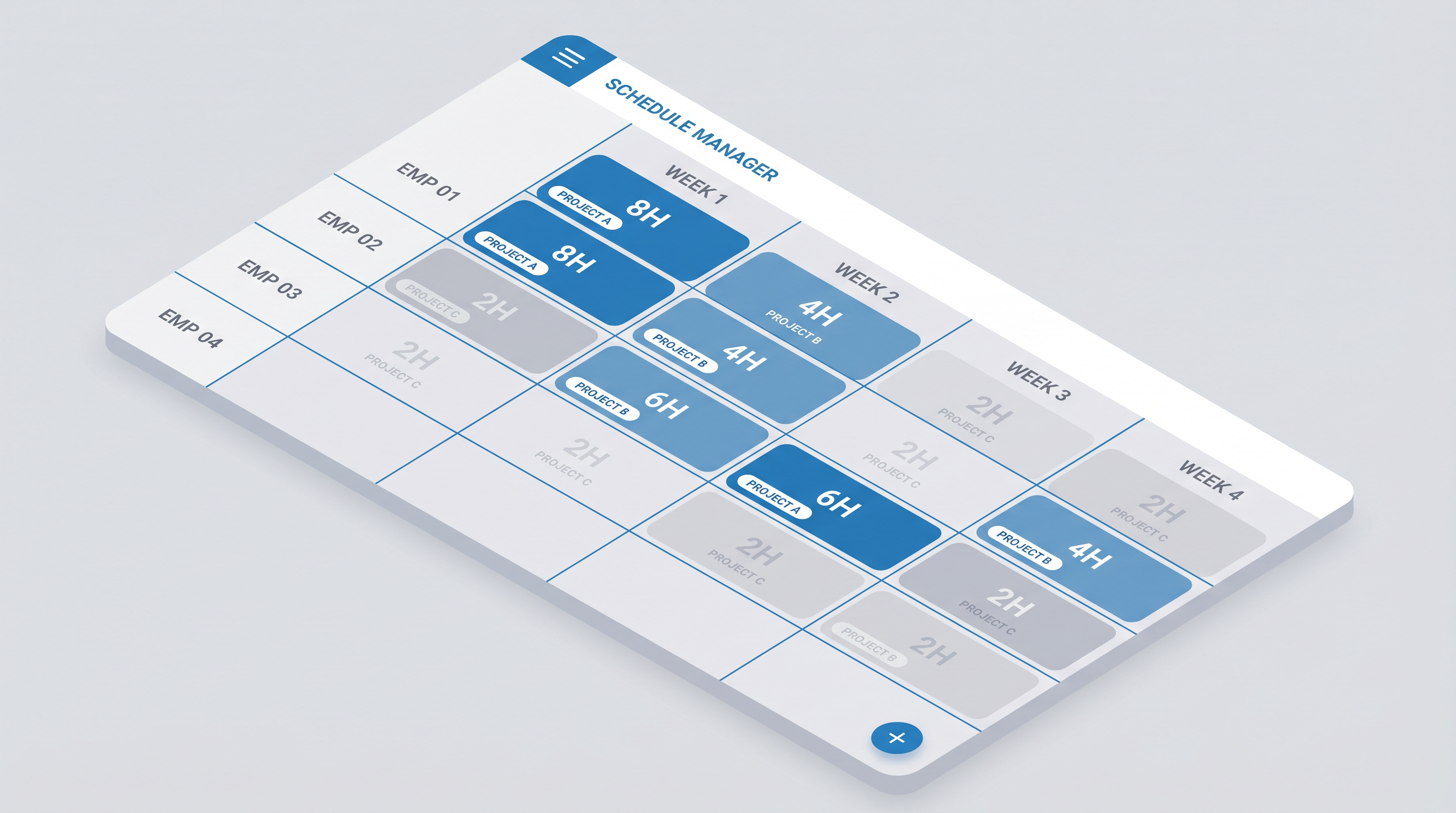
A weekly heat-map grid that shows every team member's project load at a glance. Editable cells let PMs assign hours in seconds, and color-coded capacity indicators flag over-allocation before it becomes a problem.

  • Weekly capacity grid — Employees & Projects views
  • Color-coded cells: on-track, at-risk, over-capacity
  • Expandable rows with per-project hour breakdowns
  • Overhead and holiday tracking built in
Team and Resource Allocation interface

Team and Resource Allocation

Live

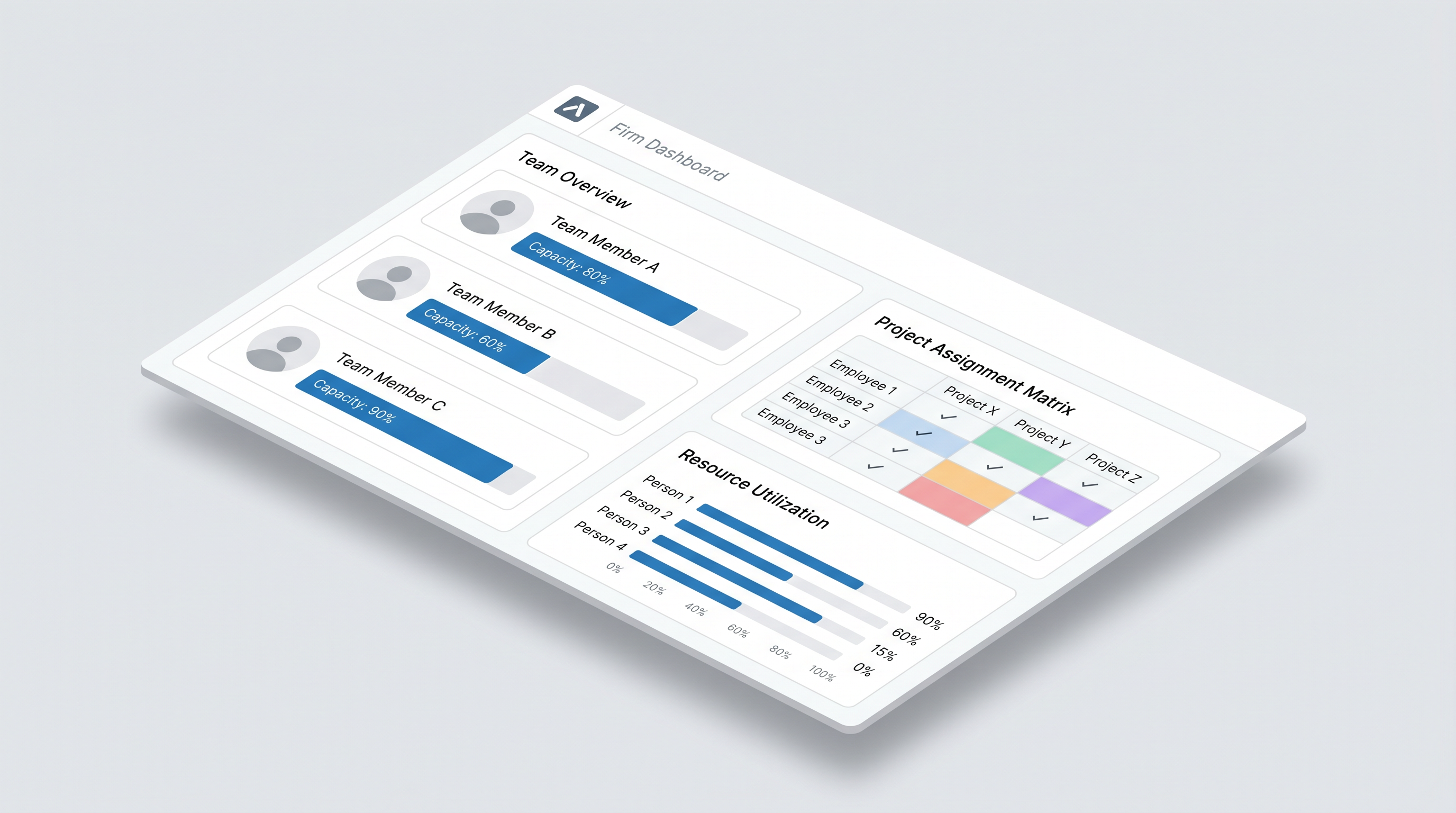
See your entire team's utilization in one dashboard. Assign people to projects, set billing rate overrides, and spot gaps in capacity before they affect delivery.

  • Per-employee capacity bars and utilization charts
  • Project assignment matrix across the full team
  • Per-project billing rate overrides
  • Role-gated views — Principals see fees, staff see hours
Staffing Reports interface

Staffing Reports

Live

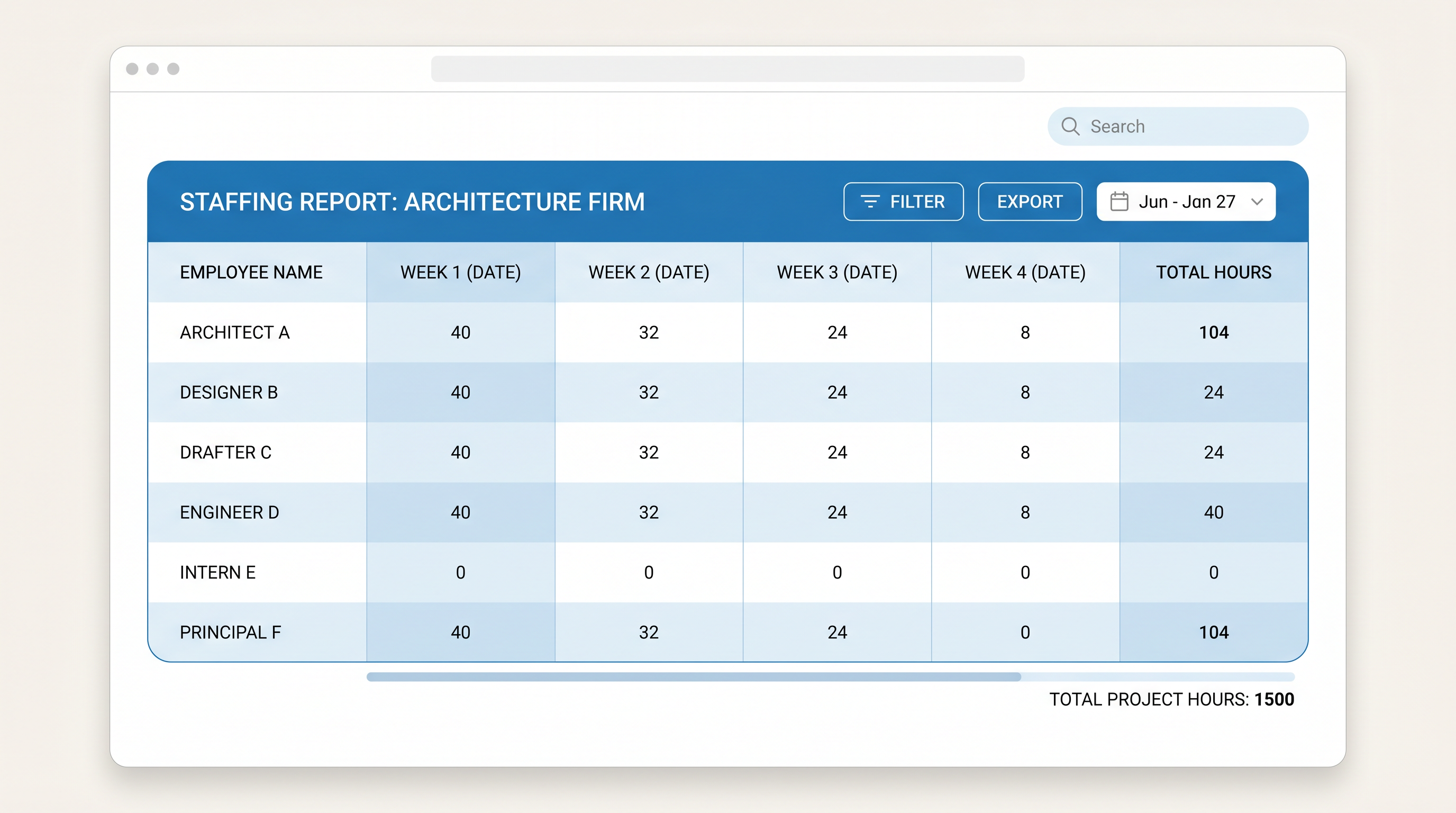
Generate 4-week, 8-week, or custom lookahead reports in one click. Share a clear picture of upcoming workload with your team — no spreadsheet required.

  • 4-Week and 8-Week Lookahead reports
  • Custom date-range staffing reports
  • Live data from the Schedule Manager
  • Exportable for team distribution
Fee Estimator and Budgets interface

Fee Estimator and Budgets

Live

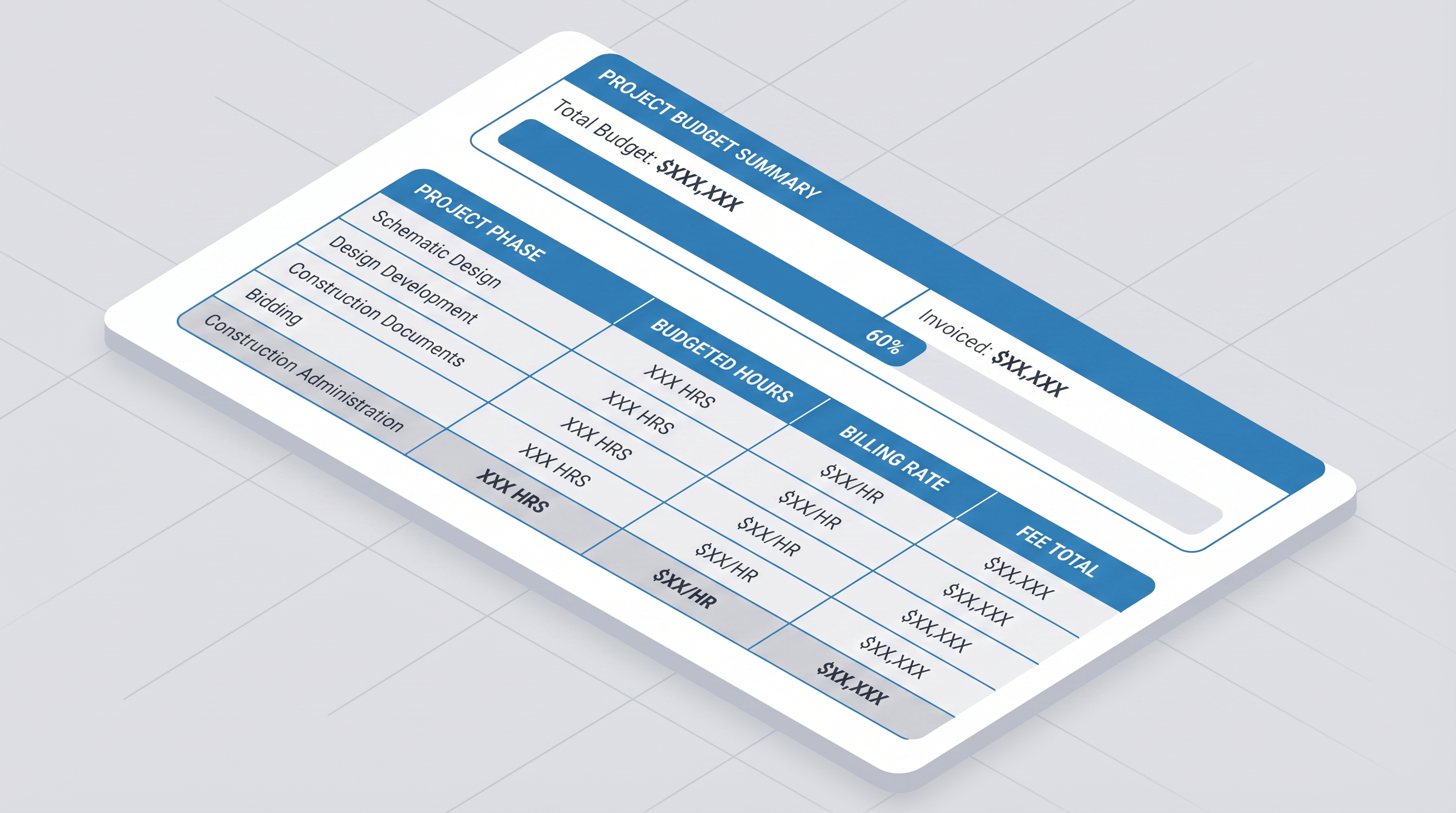
Build project fee estimates by phase, track invoiced amounts against budget, and keep Principals informed without exposing fee data to the rest of the team.

  • Phase-by-phase budget breakdown (SD, DD, CDs, CA…)
  • Budgeted hours × billing rate = fee total
  • Budget vs. invoiced progress tracking
  • Principal-only fee visibility
Contract Management interface

Contract Management

In Development

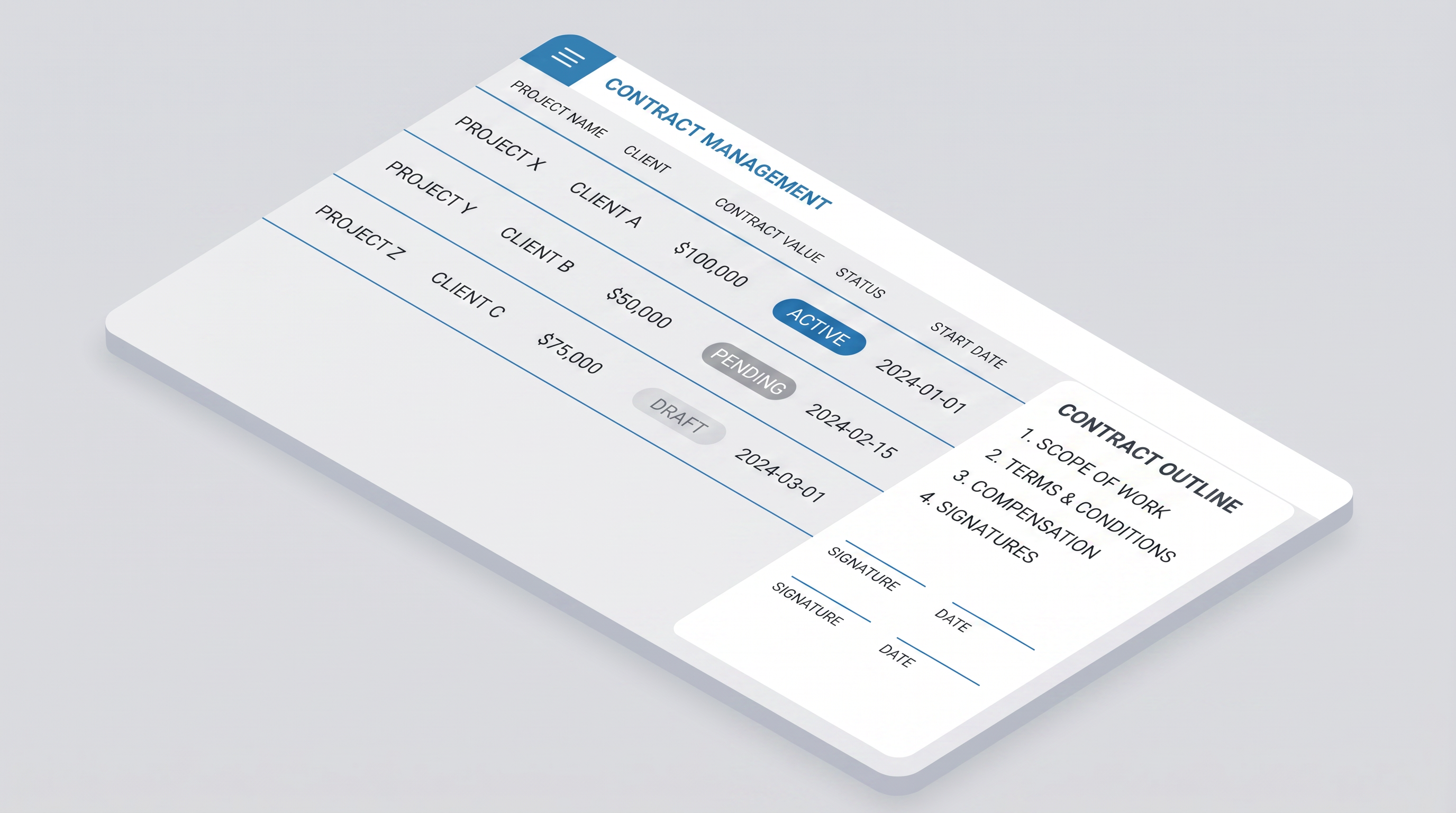
Track all client contracts in one place — status, value, dates, and document outlines. Designed to complement your existing AIA or custom contract workflow.

  • Contract list with status badges (Active / Pending / Draft)
  • Contract value and key date tracking
  • Document outline and signature tracking
  • Linked to project records
02

Design & Documentation

Tools that live where your design work happens — specifications, code compliance, and inspiration.
Specification Schedules and Libraries interface

Specification Schedules and Libraries

Live

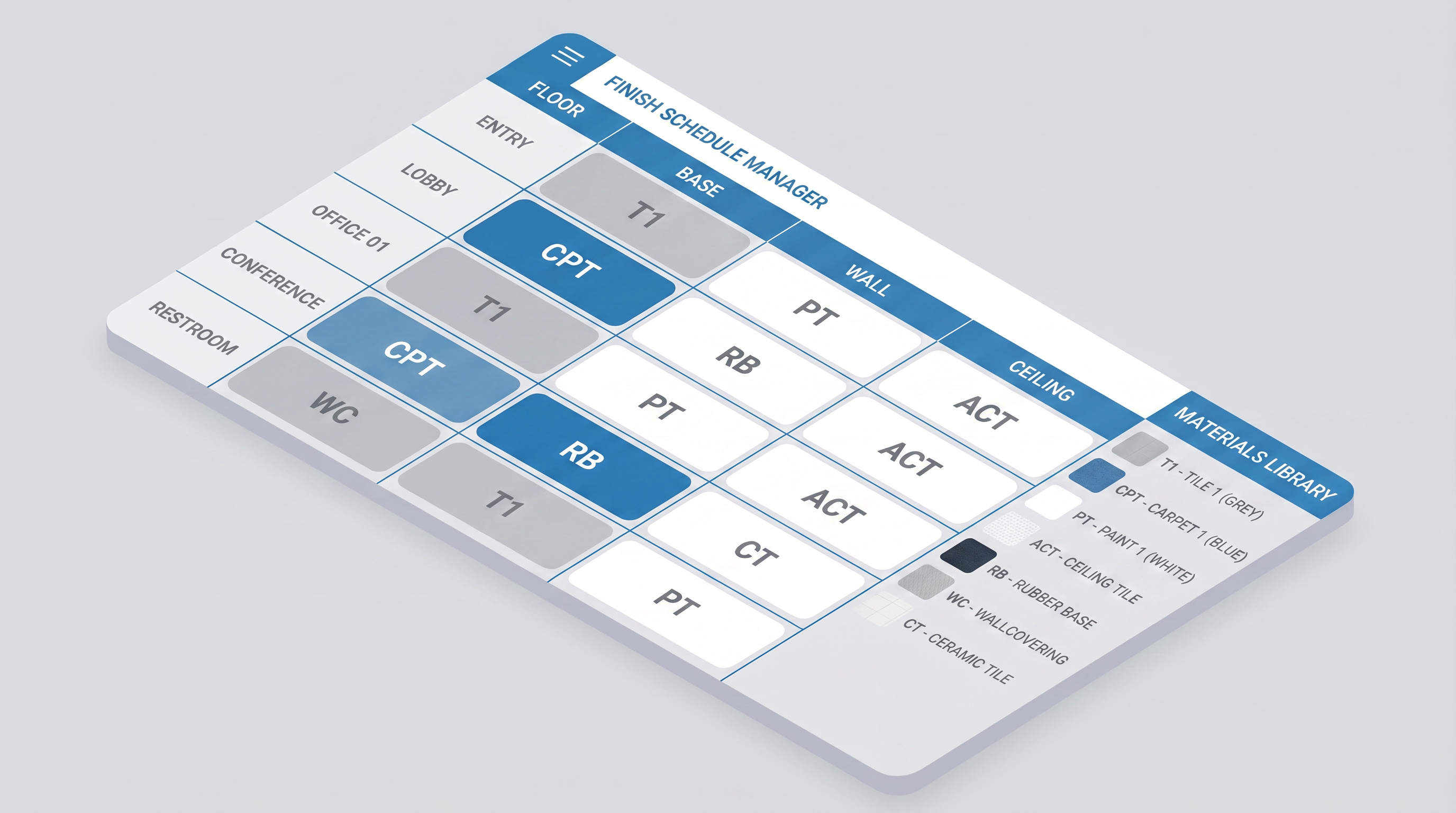
Build room finish schedules, appliance schedules, plumbing fixture schedules, and millwork lists — all linked to a growing firm library. Natural-language input lets you apply specs across rooms in seconds.

  • Room Finish Schedule with materials library
  • Appliance, Plumbing, and Millwork schedules
  • AI-assisted entry: "T1 to all bathroom floors"
  • Library grows smarter with every project
Design Calculators interface

Design Calculators

Live

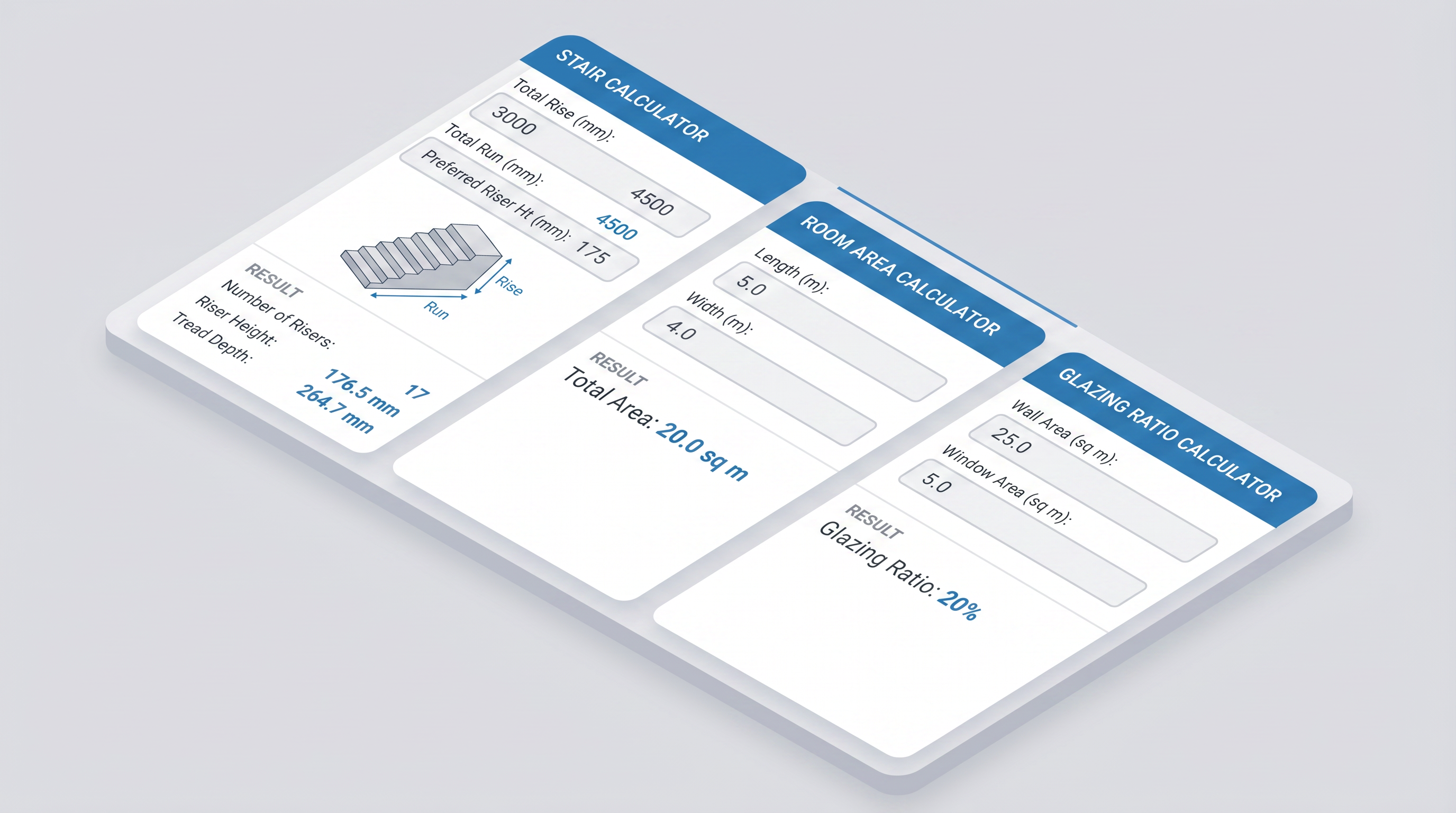
Quick-access calculators purpose-built for architectural design — stair geometry, room areas, glazing ratios, and more. No more switching to a separate spreadsheet mid-design.

  • Stair Calculator (rise, run, riser count)
  • Room Area Calculator
  • Glazing Ratio Calculator
  • Standard Estimator (SF × cost/SF by phase)
IECC Assembly Quick Guide interface

IECC Assembly Quick Guide

Live

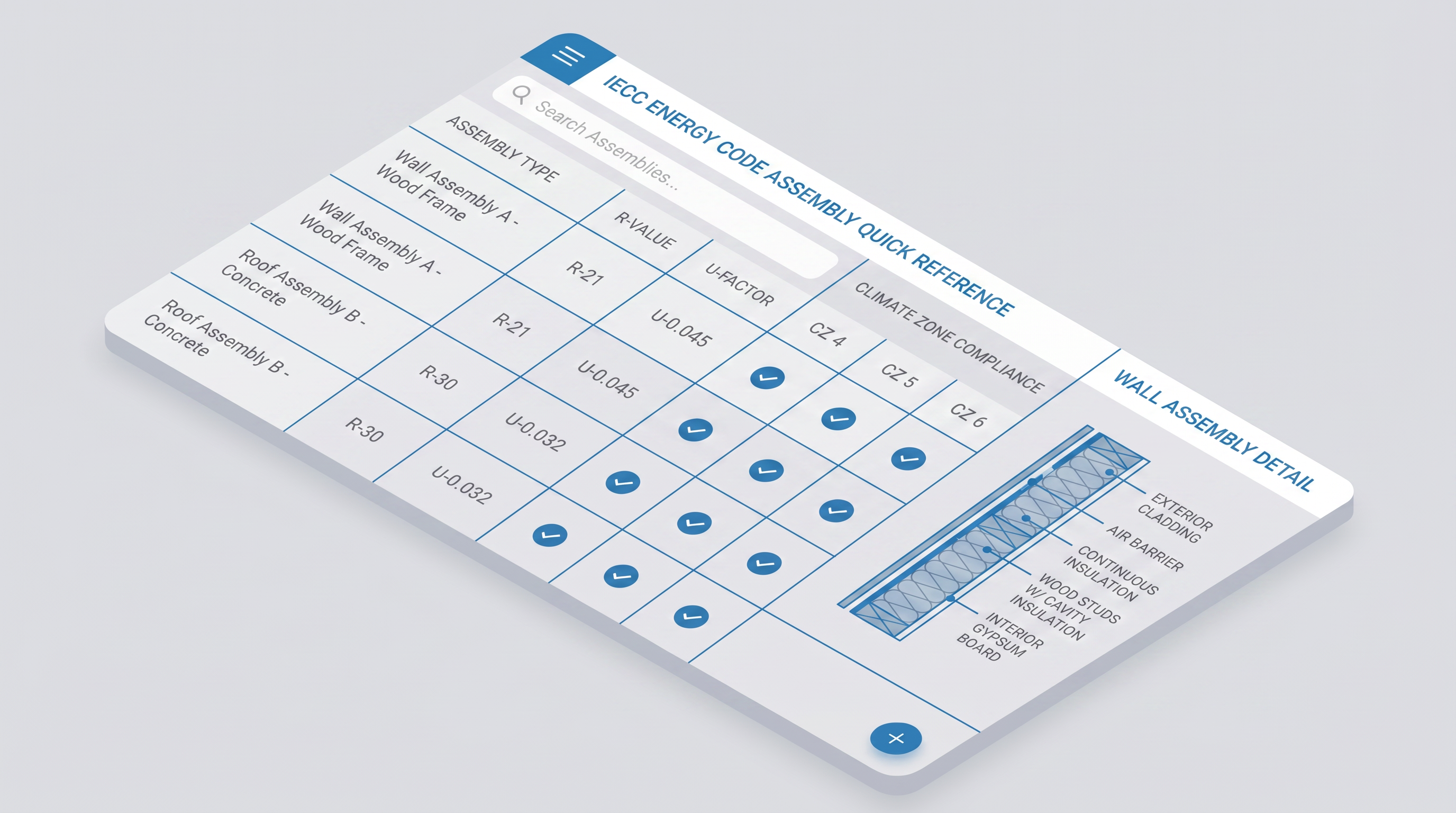
A searchable reference for IECC-compliant wall and roof assemblies. Filter by climate zone, check R-values and U-factors, and view cross-section diagrams — all without leaving the platform.

  • Searchable assembly table by type and climate zone
  • R-value and U-factor lookup
  • Climate zone compliance checkmarks
  • Cross-section assembly diagrams
Design Inspiration and Mood Boards interface

Design Inspiration and Mood Boards

In Development

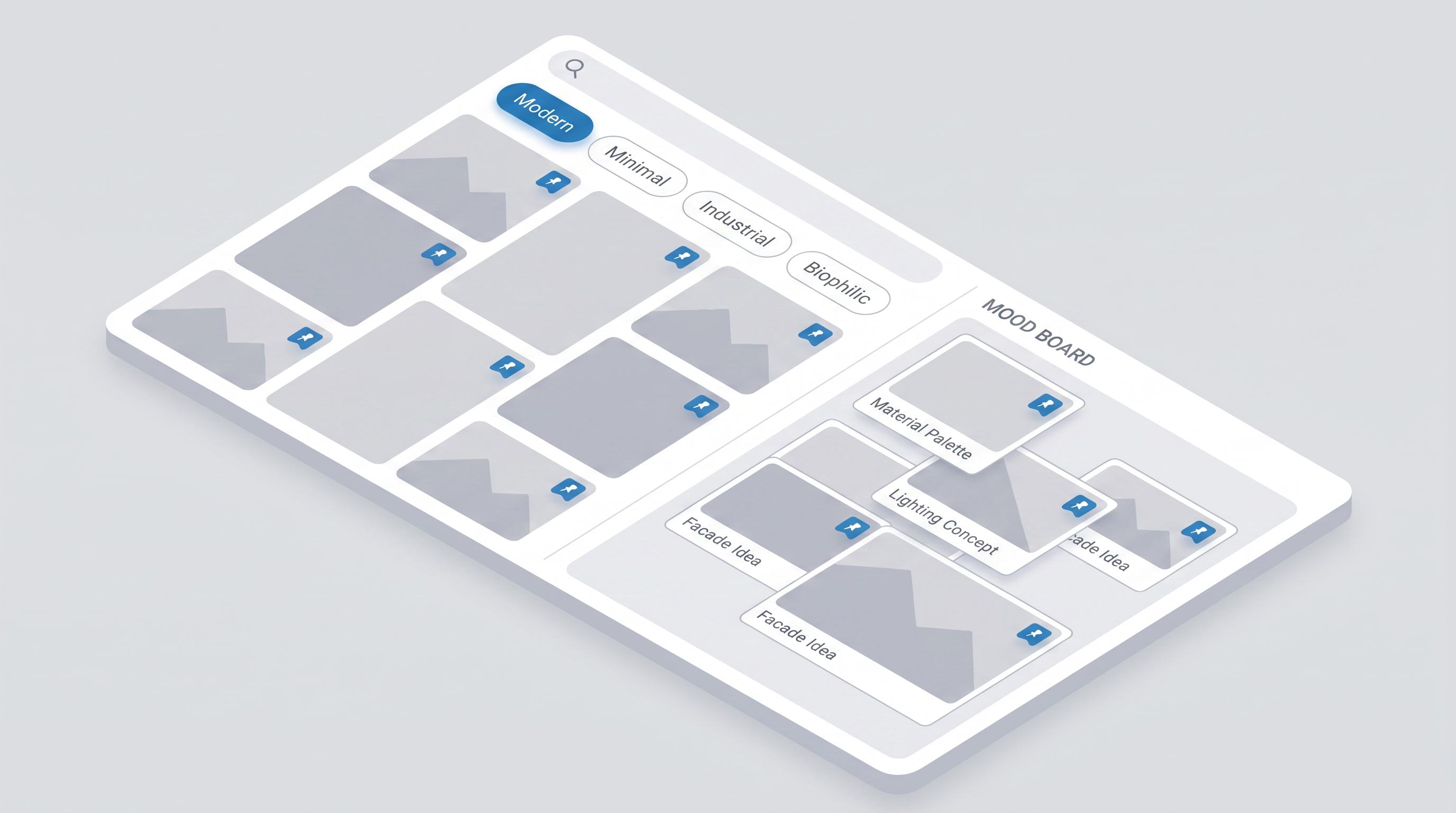
Search for architectural and landscape inspiration images, pin them to project mood boards, and share visual direction with clients — all within the platform.

  • Architectural and Landscape Inspiration search
  • Planting Finder by climate and aesthetic
  • Per-project mood boards with pinned images
  • Filter by style: Modern, Minimal, Industrial, Biophilic…
03

Integration

Connect Mayline to the tools your team already uses.
Revit Detail Library interface

Revit Detail Library

In Development

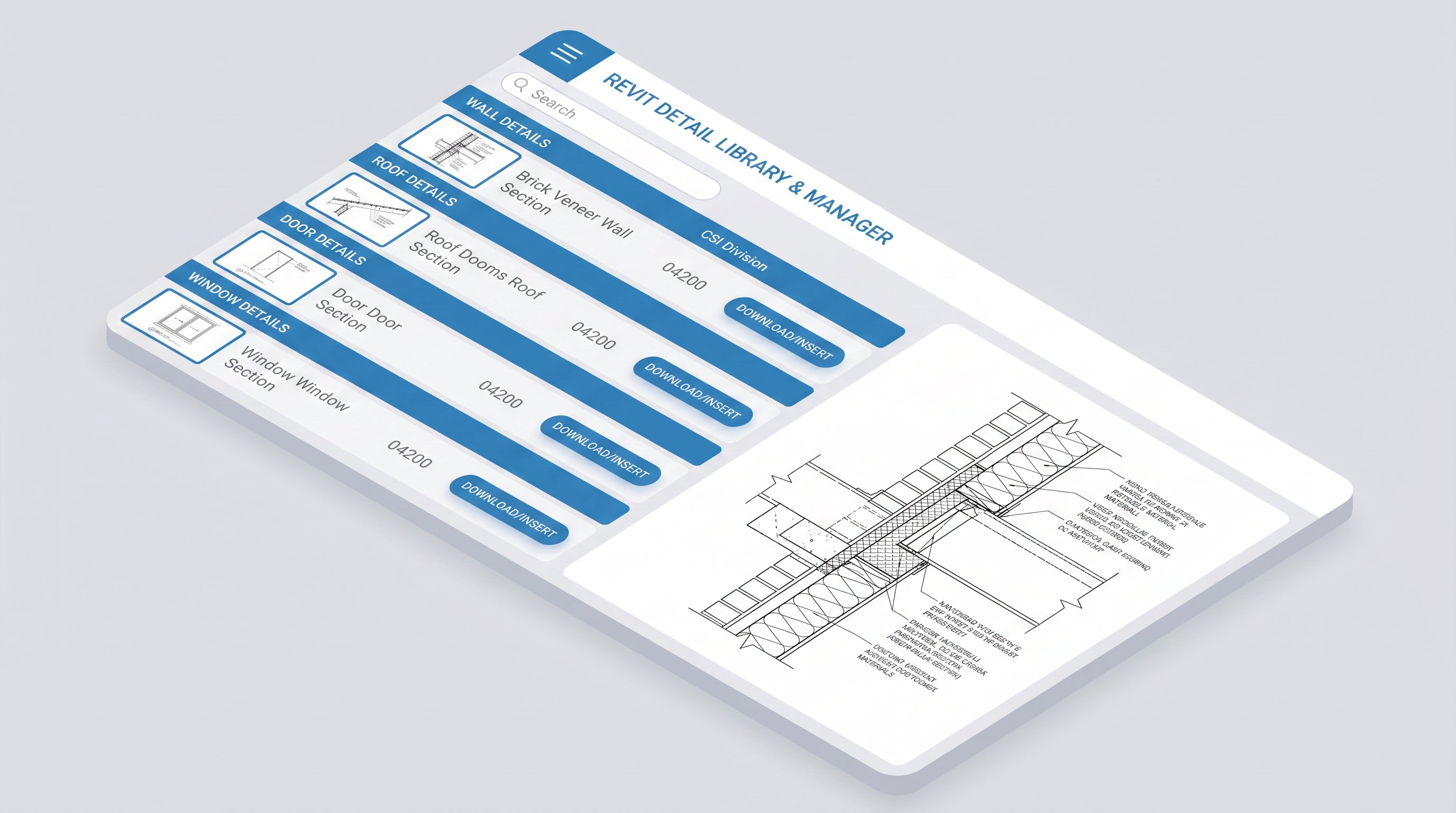
A searchable library of architectural detail drawings organized by CSI division. Browse, preview, and insert details directly into your Revit projects — building a shared firm standard over time.

  • Searchable detail library by category and CSI division
  • Wall, Roof, Door, Window, and custom detail types
  • Preview panel with full technical drawing view
  • Download or insert directly into Revit

Ready to simplify your practice?

Mayline is currently in beta. Join the waitlist for early access and help shape the platform.